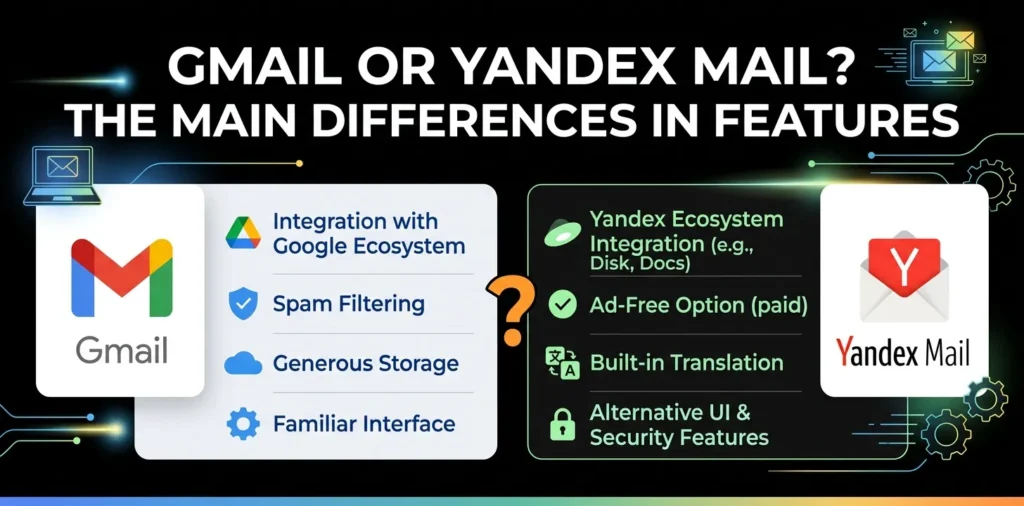
Gmail or Yandex Mail? The main differences in features

If you are choosing between Gmail and Yandex Mail, the biggest differences are in their ecosystems, storage model, organization tools, privacy approach, and business features. Gmail is closely connected to Google services such as Drive, Calendar, Meet, and Google Workspace, while Yandex Mail focuses more directly on email, filtering, organization, and the broader Yandex 360 platform.
Gmail vs. Yandex Mail at a glance
Gmail and Yandex Mail both provide the basic tools most people expect from a modern email service: sending and receiving messages, attachments, spam filtering, folders or labels, contacts, mobile access, and account security.
The difference becomes clearer when you look beyond basic email.
| Feature | Gmail | Yandex Mail |
|---|---|---|
| Free personal email | Yes | Yes |
| Free storage | 15 GB shared across Google services | Storage depends on the Yandex plan and account setup |
| Spam protection | Yes | Yes |
| Virus protection | Yes | Yes |
| Email labels/folders | Labels and categories | Folders and automatic sorting |
| Search | Advanced search and search operators | Email search and filtering |
| Aliases | Gmail aliases and send-as addresses | Multiple address options, including aliases for supported accounts |
| Google/Yandex ecosystem | Google Drive, Calendar, Meet, Chat and more | Yandex 360 services |
| Business email | Google Workspace | Yandex 360 for Business |
| Best known for | Google ecosystem and productivity | Email organization and Yandex services |
One important distinction is storage. A personal Google Account includes up to 15 GB shared between Gmail, Google Drive, and Google Photos, so the space available to Gmail is not a separate 15 GB mailbox allowance.
Gmail and Yandex Mail: What is the main difference?
The main difference is how each service fits into your wider digital life.
Gmail is designed as part of the Google ecosystem. Your Gmail account can connect naturally with Google Drive, Google Calendar, Google Meet, Google Chat, and other Google services. Gmail also offers features such as labels, categories, advanced search operators, filters, snoozing, and the ability to send mail from other addresses.
Yandex Mail is more centered around the Yandex ecosystem. Its mail service includes folders, automatic sorting, contacts, import tools, spam protection, virus checking, and mailbox security controls. Yandex also offers Yandex 360 plans that combine Mail with other services.
For many US users, that makes Gmail the more familiar choice, especially if they already use Google Drive, Google Calendar, Android, or Google Workspace.
Storage and mailbox space
Storage is one of the most important differences to understand before choosing an email provider.
Gmail storage
A personal Google Account comes with up to 15 GB of storage shared across Gmail, Google Drive, Google Photos, and other Google services that use the account’s storage quota. Gmail messages and attachments count toward that limit, including messages in Spam and Trash.
That means someone who stores many photos or large files in Google Drive may eventually have less room available for email.
You can purchase additional Google storage through Google One where available.
Yandex Mail storage
Yandex Mail’s storage options depend on the Yandex account and plan. Yandex also offers paid Yandex 360 plans that expand storage and add other services.
For someone comparing the two, it is better to check the current plan available in your country rather than assuming that one service always provides more usable storage than the other.
The key point is that Gmail’s free storage is part of a shared Google storage pool, not a Gmail-only mailbox quota.
Spam and virus protection
Both services take unwanted and dangerous email seriously, but they approach the problem somewhat differently.
Gmail automatically identifies suspicious messages and provides spam and phishing protection. Google says Gmail automatically blocks more than 99.9% of spam, phishing, and malware.
Gmail also lets users report spam, create filters, block senders, and manage messages that have been incorrectly classified.
Yandex Mail has its own Anti-Spam system. It learns from spam reports and automatically places suspicious messages in the Spam folder. Yandex also checks email for viruses, including outgoing messages.
One detail worth knowing about Yandex is that messages in its Spam folder are automatically deleted after 10 days, according to Yandex’s current documentation.
If you regularly receive important business messages, checking the spam folder should be a normal part of your email routine regardless of which service you use.
Email organization and search
This is an area where Gmail has a particularly strong advantage for users with busy inboxes.
Gmail labels, categories, and filters
Gmail uses labels rather than relying only on traditional folders. You can apply multiple labels to a message, create filters, automatically sort incoming mail, archive messages, snooze conversations, and search using advanced operators.
For example, you could create filters for:
- Work messages
- Online shopping
- Newsletters
- Receipts
- School or university email
- Messages from specific clients
Gmail also supports address-based aliases such as [email protected], allowing you to create variations of your address for sorting and filtering purposes.
Yandex folders and automatic sorting
Yandex Mail uses folders and supports automatic email sorting. You can create custom folders and set rules that move messages into appropriate locations. It also includes folders for areas such as Inbox, Sent, Drafts, Spam, Archive, and postponed messages.
Yandex also supports blacklist and whitelist controls as part of its email security tools.
If you prefer a traditional folder-based system, Yandex Mail may feel more familiar.
If you prefer labels, powerful search operators, and Google’s broader productivity tools, Gmail has a strong advantage.
Aliases and multiple email addresses
Email aliases can be useful when you want to separate different types of communication without maintaining several completely independent mailboxes.
Gmail allows you to send messages from other email addresses that you own. Google currently documents support for sending from up to 99 different email addresses. Gmail also supports plus-addressing, which can help organize incoming messages.
Yandex also supports additional addresses in certain configurations. For Yandex 360 business mailboxes, for example, a mailbox can have multiple aliases, with up to 10 aliases documented for an employee mailbox.
For a normal personal user, however, the exact alias features available can depend on the type of account.
Gmail vs. Yandex Mail for productivity
If email is only one part of your daily workflow, the surrounding ecosystem matters.
Gmail can work closely with Google services. Google documents Gmail features that bring email, Chat, video meetings, and Calendar-related functions together.
That can be useful if your daily workflow looks something like this:
Email → Google Calendar → Google Drive → Google Meet → Google Docs
For example, a small business owner might receive a client email in Gmail, open a Google Drive document, schedule a Calendar meeting, and join the meeting through Google Meet without leaving the Google ecosystem.
Yandex Mail can also connect with other Yandex 360 services, making it more useful for people who already use Yandex’s ecosystem.
The better choice depends largely on which ecosystem you already use.
Security and privacy
Both services provide security features, but privacy is more complicated than simply asking which company is “more private.”
Gmail encrypts data in transit and at rest and provides account security controls for suspicious activity and unauthorized access. Google also explains that Gmail uses data to provide features such as spam detection, Smart Compose, Smart Reply, and personalized experiences, while giving users controls over certain personalization settings.
Gmail also supports additional encryption capabilities for certain Google Workspace editions.
Yandex Mail provides mailbox security controls, spam protection, blacklist and whitelist features, and protections against account theft and other threats.
For either service, your own security habits matter. A strong, unique password, two-factor authentication when available, updated recovery information, and caution with suspicious links can make a major difference.
Gmail vs. Yandex Mail for business
For business users, the comparison becomes less about free email and more about the complete productivity platform.
Google Workspace provides business versions of Gmail alongside services such as Google Drive, Docs, Sheets, Meet, Calendar, and administrative and security controls.
Yandex offers Yandex 360 for Business, which combines business email with other Yandex services.
For a US-based company, Gmail and Google Workspace will often be the more practical choice because Google Workspace is deeply integrated with tools that many American businesses already use.
For example, a small marketing agency may already rely on Google Docs, Sheets, Drive, and Meet. Using Gmail keeps those tools within one ecosystem.
Yandex Mail can still make sense for users or organizations that already depend on Yandex services or specifically prefer its interface and organization features.
Gmail vs. Yandex Mail for everyday personal use
For a typical personal user, the choice is fairly straightforward.
Choose Gmail if you:
- Already use Google Drive or Google Photos
- Use an Android phone heavily
- Want easy access to Google’s productivity services
- Need strong search and inbox organization
- Want an email account that works naturally with Google services
- Plan to use Google Workspace later for business
Consider Yandex Mail if you:
- Prefer Yandex’s email interface
- Already use Yandex services
- Like folder-based email organization
- Want Yandex’s built-in spam and virus protection
- Have a specific reason to use a Yandex email address
For most US consumers starting from scratch, Gmail is the safer default simply because of its broader integration with commonly used Google services.
Which is better for a small business?
For most US small businesses, Gmail is the better overall choice when comparing the broader business ecosystem.
The reason is not simply email quality. A business may need email, shared documents, calendars, video meetings, cloud storage, user management, and collaboration tools. Google Workspace brings many of those services together.
Yandex Mail can be a reasonable option if its ecosystem fits your existing workflow, but there is less reason for a typical US small business to switch away from Google’s ecosystem unless it has a specific need.
If you are setting up email for a professional business, using your own domain—such as [email protected]—is generally more professional than relying on a free consumer address.
Which has better email organization?
There is no universal winner because the systems work differently.
Gmail is particularly strong if you like:
- Labels
- Search operators
- Filters
- Categories
- Archiving
- Snoozing
- Plus-addressing
- Integration with Google Tasks and Calendar
Yandex Mail is attractive if you prefer:
- Traditional folders
- Automatic folder sorting
- Custom folders
- Spam and blacklist controls
- A simpler email-centered workflow
Gmail’s search and filtering system is one of its biggest advantages for people who receive hundreds or thousands of emails.
Gmail vs. Yandex Mail: Which should you choose?
For most people in the United States, Gmail is the better overall choice.
Gmail offers a strong combination of email organization, security, search, aliases, and integration with Google’s wider ecosystem. Its 15 GB personal storage quota is shared with Google Drive and Google Photos, so storage management is something to keep in mind.
Yandex Mail is still a capable email service. Its spam and virus protection, folders, sorting tools, and Yandex 360 ecosystem make it a reasonable choice for users who prefer Yandex or already use its services.
The simplest decision is:
| Your situation | Better choice |
|---|---|
| General US personal use | Gmail |
| Google Drive and Docs user | Gmail |
| Android and Google ecosystem user | Gmail |
| Small US business | Gmail / Google Workspace |
| Heavy email search and filtering | Gmail |
| Prefer traditional folders | Yandex Mail |
| Already use Yandex services | Yandex Mail |
| Need a Yandex address specifically | Yandex Mail |
What about privacy?
Neither service should be judged by a single “privacy score.” Both provide security and privacy controls, but their business models, ecosystems, data practices, and account settings differ. Review the provider’s current privacy documentation and account controls before choosing an email service for sensitive communications.
Can I use Gmail and Yandex Mail together?
Yes. You can keep accounts with both providers and use each for different purposes. For example, you could use Gmail for work and Google services while keeping a Yandex address for a separate category of personal communication.
Is Yandex Mail safer than Gmail?
There is no simple basis for saying that one is universally safer. Gmail and Yandex Mail both provide spam, malware, and account-security protections, so your choice should also consider the ecosystem, features, account controls, and services you actually need.
The bottom line
Gmail is the stronger all-around option for most US users because email is only one part of what Google provides. Its search, filtering, aliases, security features, and connections to Drive, Calendar, Meet, and other services make it especially useful for both personal productivity and business.
Yandex Mail is a solid alternative if you prefer its interface, organization system, or Yandex ecosystem.
Practical tip: If you are choosing an email address for a new US business, look beyond Gmail vs. Yandex Mail and consider a custom domain with a professional business email service. That gives you a branded address that you can keep even if you later change email providers.