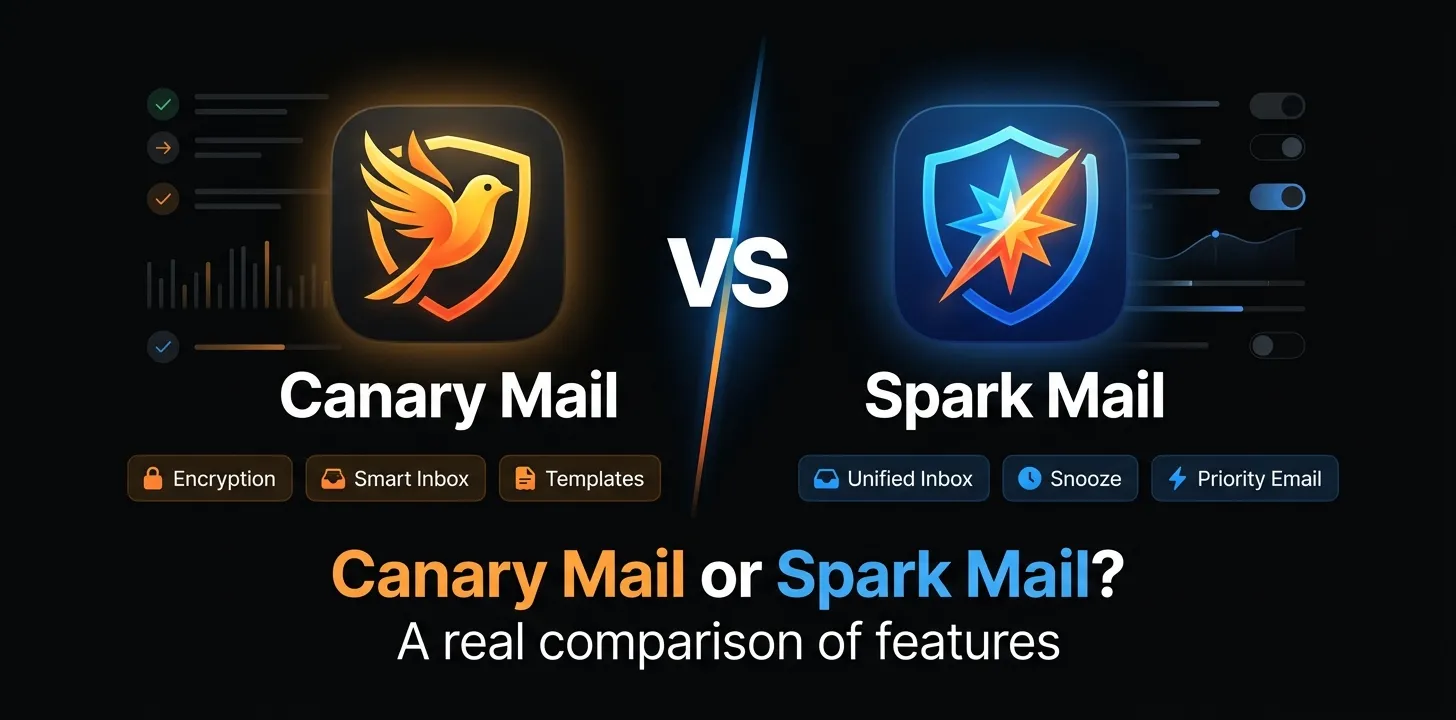
Canary Mail or Spark Mail? A real comparison of features

If you want a cleaner email client with strong privacy controls and AI-powered inbox management, Canary Mail is the better fit for most individual users. If you work with a team and need shared drafts, private comments, delegation, shared inboxes, and deeper collaboration, Spark Mail is the stronger choice. Both support multiple email accounts, AI tools, scheduling, and modern inbox organization.
The two apps look similar at first, but they are built around different priorities. Canary leans toward privacy, security, and personal productivity, while Spark puts more emphasis on workflow, collaboration, and team email.
Here is how they compare in the areas that actually matter.
Canary Mail vs Spark Mail at a Glance
| Feature | Canary Mail | Spark Mail |
|---|---|---|
| Best for | Individual users, privacy-conscious professionals | Individuals, teams, client-facing work |
| Free plan | Yes | Yes |
| AI writing | Yes | Yes |
| AI summaries | Yes | Yes |
| AI inbox prioritization | Yes | Yes |
| Natural-language AI/search tools | Yes | Yes |
| Unified inbox | Yes | Yes |
| Multiple email accounts | Yes | Yes |
| Email scheduling | Paid plans | Yes |
| Snooze | Yes | Yes |
| Read receipts | Yes | Yes |
| PGP encryption | Pro+ | No comparable PGP feature |
| Advanced phishing protection | Yes | Standard security controls |
| Shared drafts | Collaboration available | Yes |
| Team comments | Collaboration features | Yes |
| Email delegation | Team features available | Yes |
| Shared inboxes | Available | Pro |
| Platforms | Mac, Windows, iOS, Android | Mac, Windows, iOS, Android |
| Lowest paid annual plan | $36/year | $99/year |
| Paid lifetime option | Yes | No |
Feature availability can vary by plan and platform, so the table is best viewed as a practical overview rather than a promise that every feature works identically everywhere.
Where Canary Mail Stands Out
Canary Mail has developed a fairly clear identity: it wants to make a traditional email account smarter without requiring you to move your email to a new provider.
It works with services such as Gmail, Outlook, iCloud, and standard IMAP accounts, so you can keep your existing addresses.
AI-powered inbox management
Canary’s AI is not limited to writing emails.
Its current AI features include:
- Email drafting and replies
- Email summarization
- Inbox prioritization
- Inbox triage
- Natural-language answers
- Smart inbox organization
One useful distinction is how Canary handles inbox intelligence. Its triage and prioritization features can run on the device, including for mail that has already been downloaded. Cloud AI is used for features such as drafting and summaries, but Canary says email content is not used to train generalized AI models.
That makes Canary particularly interesting if you want AI assistance but are uncomfortable with the idea of sending your entire inbox to an AI service.
Privacy and security
This is probably Canary’s biggest advantage over Spark.
Canary offers advanced security features such as PGP encryption, SecureSend encryption, phishing and ransomware protection, impersonation detection, and misdirection prevention on its Pro+ plan.
Its privacy approach also extends to AI. Canary says it does not use users’ emails to train generalized AI models and that inbox triage and prioritization can be performed locally.
One important distinction, though: Canary being a privacy-focused email client does not mean every ordinary email you send becomes end-to-end encrypted automatically. Its advanced encryption features are plan-dependent.
A simpler pricing structure
Canary currently has three main consumer plans:
- Free: $0
- Growth: $36/year when billed annually
- Pro+: $100/year when billed annually
Canary also offers one-time lifetime purchasing options for its paid plans. There is no monthly subscription; the monthly figures shown on its pricing page are annual-plan equivalents.
That makes Canary considerably cheaper than Spark if you’re a single user who wants paid AI and productivity features.
Where Spark Mail Stands Out
Spark takes a different approach.
It is not just trying to make your personal inbox easier. A major part of its appeal is helping people work on email together.
Smart Inbox and inbox control
Spark’s Smart Inbox separates important messages from less important mail and includes tools such as priority email, Gatekeeper, sender grouping, thread muting, and other inbox controls.
Gatekeeper is especially useful if you receive a lot of unsolicited messages. It lets you screen new senders before their messages become part of your normal inbox workflow.
Spark also offers natural-language search. Instead of constructing complicated search operators, you can search for something like an attachment from a particular person or a PDF received during a certain period.
For people with years of accumulated email, that can be more useful than another writing assistant.
Team collaboration
This is where Spark pulls ahead.
With Shared Drafts, multiple team members can work on the same email in real time and discuss it through private comments. Team members can also attach files to the draft or comments.
Spark also supports email delegation. You can assign an email to a teammate, set a deadline, and track the task without simply forwarding the entire conversation and losing track of who is responsible.
That makes Spark much more interesting for:
- Small agencies
- Sales teams
- Executive assistants
- Customer-facing teams
- Founders working with assistants
- Teams that review important outgoing emails
For example, if an assistant prepares a client response but the executive needs to approve it first, Spark’s shared drafting workflow can keep that process inside the email app rather than bouncing between email and a separate document or chat tool.
AI Assistant
Spark’s AI features go beyond simple email rewriting.
Its AI Assistant can search relevant email information, help answer questions, organize inbox information, and perform certain actions. Spark creates a local index of email data, then sends only the emails relevant to an AI request to its AI provider for processing.
Spark says those relevant emails may be stored by its AI provider for up to 30 days for abuse and misuse monitoring, after which they are automatically deleted. Spark also says the data is not used to train AI models.
That is an important privacy difference to understand.
Spark does take privacy seriously, but its AI architecture is not identical to Canary’s approach. If keeping AI processing as local as possible is your top priority, Canary deserves closer consideration.
Canary Mail vs Spark: AI Features
Both apps have strong AI capabilities, but they are useful in slightly different ways.
| AI capability | Canary Mail | Spark Mail |
|---|---|---|
| Draft emails | Yes | Yes |
| Rewrite/proofread | Yes | Yes |
| Summarize emails | Yes | Yes |
| Inbox prioritization | Strong focus | Yes |
| Natural-language search/queries | Yes | Yes |
| AI inbox assistant | Yes | Yes |
| Meeting notes | Not a major focus | Yes |
| AI actions/workflows | Limited compared with Spark’s team direction | Expanding |
| Local inbox intelligence | Yes | Yes |
| AI provider processing | Used for some features | Used for relevant AI requests |
| AI data used for model training | Canary says no | Spark says no |
Spark also includes AI Meeting Notes, with different monthly limits depending on the plan.
Which has better AI?
Canary wins if your priority is AI-powered personal email management and privacy.
Spark wins if you want AI combined with meetings, team workflows, and broader workplace productivity.
Neither is simply “better AI.” The difference is what the AI is being used to accomplish.
Canary Mail vs Spark for Privacy
Privacy is one area where the comparison needs more nuance than simply saying one app is “secure” and the other is not.
Canary offers PGP and SecureSend encryption on Pro+, along with impersonation detection and other security features.
Spark uses encrypted connections and says its email data is protected using standard security practices. Its AI features also use encryption, and Spark says AI data is not used to train its models.
The bigger difference is how the products approach privacy and AI.
If your concern is:
“I want an AI email app that minimizes how much of my inbox leaves my device.”
Canary has the stronger story because it emphasizes on-device inbox intelligence.
If your concern is:
“I want useful AI but I also want the company to explain how my AI requests are handled.”
Spark provides specific documentation explaining what information is sent to its AI provider and how long that information can be retained.
For highly sensitive communications, you should still examine the exact encryption feature you are using rather than assuming that an email client makes every message end-to-end encrypted.
Canary Mail vs Spark for Teams
Spark is the clear choice for serious team collaboration.
Canary has collaboration capabilities, but Spark has built a much larger part of its product around shared email work.
Spark supports:
- Shared drafts
- Private team comments
- Shared inboxes
- Email delegation
- Shared templates
- Team assignments
- Team file storage
- Read statuses
- Team administration
Its Shared Drafts feature lets colleagues edit an email together and discuss it privately before it is sent.
Spark Pro also adds shared inboxes, read statuses, advanced collaboration, and other team-oriented features.
For a solo freelancer, many of those features may not matter. For a five-person sales or support team, they can matter a lot.
Canary Mail vs Spark for Multiple Email Accounts
Both are good choices if you manage several addresses.
Canary supports multiple email accounts across its plans, while Spark’s Free plan also supports multiple email accounts. Both work with major providers and standard IMAP accounts.
That means you could, for example, manage:
- A personal Gmail account
- A work Outlook account
- An iCloud address
- A custom-domain business email
from the same application.
The bigger question is not whether either app can handle multiple accounts. Both can.
The question is how you want those accounts organized.
Canary makes more sense if you want AI-assisted personal inbox control. Spark makes more sense if those accounts are part of a broader work and collaboration system.
Canary Mail vs Spark Pricing
Current pricing makes the difference especially clear.
| Plan | Canary Mail | Spark Mail |
|---|---|---|
| Free | $0 | $0 |
| First paid tier | Growth: $36/year | Plus: $99/year |
| Higher paid tier | Pro+: $100/year | Pro: $199/year |
| Monthly billing | No | Yes |
| Lifetime option | Yes | No |
| Team/enterprise | Pro+ features | Enterprise available |
Canary’s paid plans are significantly cheaper for individual users, while Spark’s higher prices reflect its stronger focus on collaboration and workplace features.
Which is the better value?
For a single person, Canary is the better value if its feature set covers what you need.
Spark costs more, but you are paying for more than AI writing. Its higher plans include collaboration, team features, AI meeting notes, shared inbox functionality, and other workplace tools.
So comparing only the subscription prices misses the point.
A freelancer who never collaborates on emails may get little value from Spark’s extra cost.
A business with employees working together on customer emails may find Spark’s additional cost easier to justify.
Canary Mail vs Spark on Mac, Windows, iPhone, and Android
Both products are designed for people who move between devices.
Canary supports macOS, Windows, iOS, and Android. Spark also supports Mac, Windows, iOS, and Android.
There is one practical warning: feature parity can vary between platforms. Some features may arrive on one platform before another.
If you spend most of your time on one device, check the features available on that specific platform before paying.
Two Real-World Choices
If you’re a solo professional
Imagine you have Gmail, Outlook, and a business-domain account and receive dozens of messages every day.
You mainly want:
- Less inbox clutter
- AI summaries
- Faster replies
- Better prioritization
- Strong privacy
- A reasonable subscription
Canary Mail is the better fit.
Its lower paid price and privacy-focused AI approach make more sense when you are managing your own inbox rather than collaborating with a team.
If you manage a small team
Now imagine you run a small agency where an assistant drafts client replies, another employee handles follow-ups, and you need to approve important messages.
You need:
- Shared drafts
- Private comments
- Delegation
- Shared inboxes
- Team templates
- Deadlines
- AI assistance
Spark Mail is the better fit.
Those features are central to Spark’s team workflow rather than optional extras.
Which One Should You Choose?
The simplest way to decide is to ignore the feature count and start with your main reason for switching email apps.
Choose Canary Mail if:
- Privacy is a major concern
- You want AI-powered inbox prioritization
- You mostly manage email yourself
- You want PGP or advanced encryption options
- You want a lower-cost paid plan
- You prefer a privacy-focused personal email client
Choose Spark Mail if:
- You work with other people on email
- You need shared drafts and comments
- You delegate emails to teammates
- You manage shared inboxes
- You want integrated meeting notes
- You need more business-oriented collaboration tools
The better choice for most individuals
For a person managing personal and work email alone, I’d pick Canary Mail.
The combination of AI inbox management, privacy controls, broad platform support, and a lower-cost paid plan gives it a strong value proposition.
The better choice for teams
For a team, I’d pick Spark Mail.
Spark’s shared drafts, private comments, delegation, shared inboxes, templates, and team management features make it much better suited to collaborative email work.
The main mistake is choosing based only on AI. Both apps have capable AI features. The more important question is whether your email workflow is personal and privacy-focused or collaborative and team-focused.
Frequently Asked Questions
Is Canary Mail more private than Spark?
Canary puts a stronger emphasis on privacy, with on-device inbox intelligence and optional PGP and SecureSend encryption on Pro+. Spark also says it does not use AI data to train models, but some AI requests send relevant email content to its AI provider for processing.
Is Spark Mail better than Canary Mail for business?
For businesses that need people to work together on email, Spark is generally the stronger option. Its shared drafts, private comments, delegation, shared inboxes, team templates, and assignments are designed specifically for collaborative workflows.
Can I use Canary Mail or Spark Mail for free?
Yes. Both have free plans. Canary’s free version provides core email features, while Spark’s free plan includes basic inbox management, multiple accounts, Smart Inbox, and other essential productivity features.
The Bottom Line
Canary Mail and Spark Mail are both strong alternatives to the default email apps on your phone or computer, but they solve different problems.
Canary Mail is the better pick for individual users who care about privacy, AI-assisted inbox management, and price. Spark Mail is the better pick for teams that need to collaborate, delegate, and manage shared email workflows.
Before paying, try the free version of the app that matches your workflow. The best choice is the one that removes the most friction from the way you actually handle email—not the one with the longest feature list.