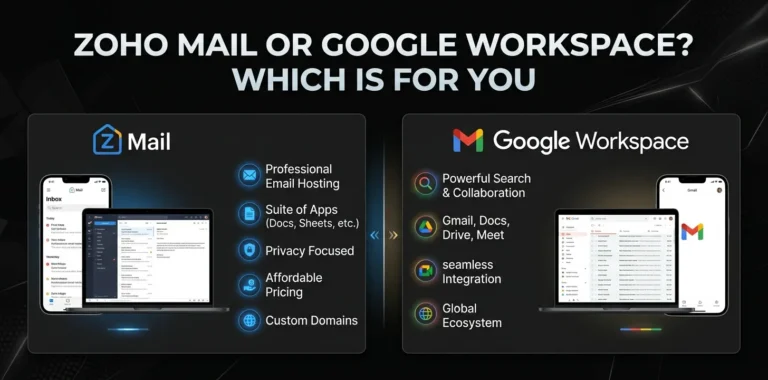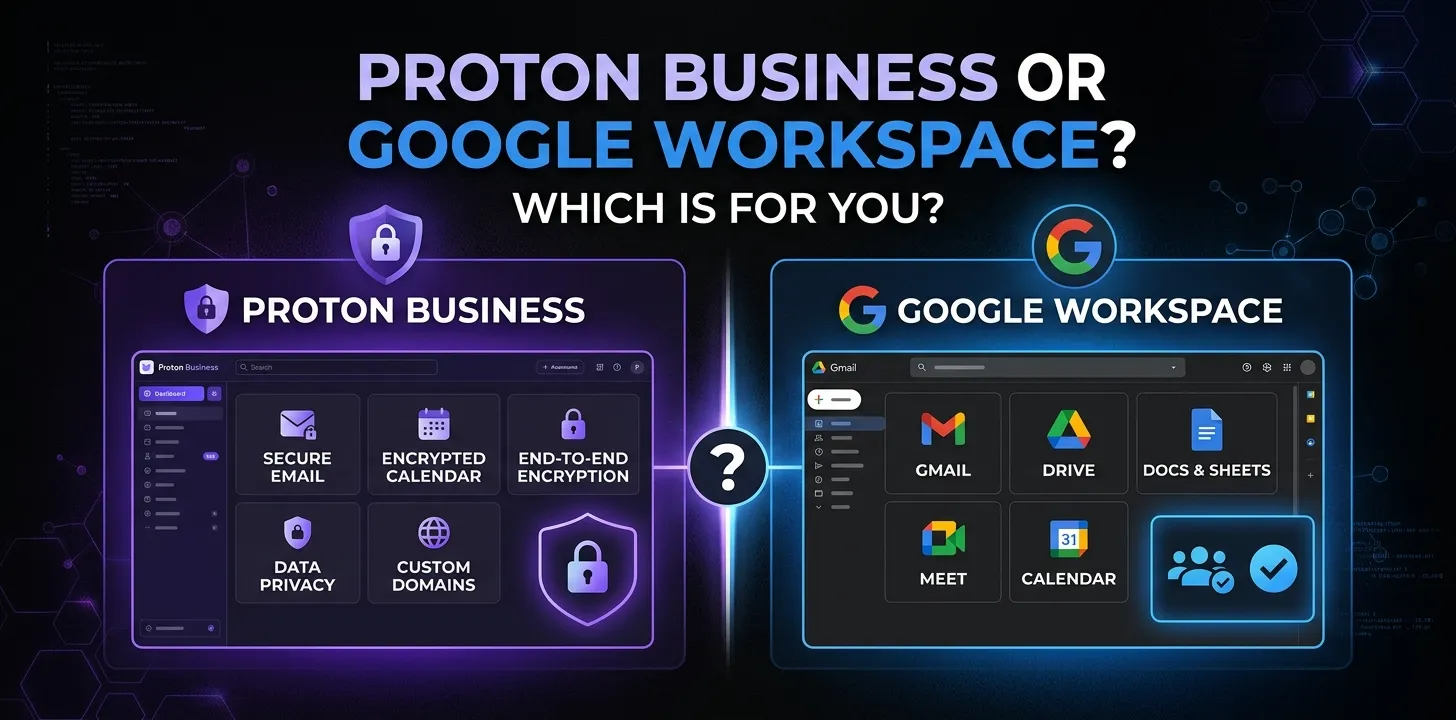
Proton Business or Google Workspace? Which is for you

If privacy is your top concern, Proton Business—now offered through Proton Workspace—has the stronger privacy model, with encrypted email, storage, calendars, passwords, VPN, and meetings in one suite. Google Workspace is the better choice for teams that prioritize familiar collaboration tools, Gmail, Google Docs, Sheets, Drive, Meet, and a large ecosystem of third-party integrations.
Choosing between Proton Business and Google Workspace is less about which service has more features and more about how your business works and what you want from your data.
Both give you business email, cloud storage, calendars, document tools, video meetings, and administrative controls. But they take very different approaches to privacy, collaboration, integrations, and productivity.
Proton has also changed its business offering in 2026. The full suite is now called Proton Workspace, with Workspace Standard and Workspace Premium plans.
So, which one should you choose?
Proton Business vs Google Workspace at a glance
| Category | Proton Workspace | Google Workspace |
|---|---|---|
| Business email | Proton Mail | Gmail |
| Custom domain email | Yes | Yes |
| Cloud storage | Proton Drive | Google Drive |
| Documents | Proton Docs | Google Docs |
| Spreadsheets | Proton Sheets | Google Sheets |
| Video meetings | Proton Meet | Google Meet |
| Calendar | Proton Calendar | Google Calendar |
| Password manager | Proton Pass included | Not included as a core Workspace app |
| Business VPN | Included | Not included |
| Privacy approach | Privacy-first, zero-access encryption | Strong security with provider-managed encryption |
| AI | Lumo on Premium | Gemini included in current plans |
| Third-party integrations | More limited | Very extensive |
| Desktop office apps | No | Web-based productivity apps |
| Best for | Privacy-focused businesses | Collaboration-focused businesses |
The biggest difference is simple: Google is built around productivity and collaboration, while Proton is built around privacy and security first.
What is Proton Business now?
Proton’s business offering has evolved into Proton Workspace. Workspace brings Proton Mail, Calendar, Drive, Docs, Sheets, Meet, VPN, and Pass together under one business subscription. The current Workspace Standard plan costs $12.99 per user per month when billed annually, or $14.99 monthly. Workspace Premium costs $19.99 annually or $24.99 monthly.
That makes Proton different from the older Proton Business plans many people may still see in older comparisons.
Workspace Standard includes:
- Business email through Proton Mail
- Proton Calendar
- Proton Drive
- Proton Docs and Sheets
- Proton Meet
- Proton VPN
- Proton Pass
- 1 TB of storage per user
- Custom business email domains
- Shared calendars
- Video meetings
- Team password management
Workspace Premium increases storage to 3 TB per user and adds features such as larger Meet capacity, email data-retention policies, and Lumo AI.
So if you’re searching for “Proton Business,” you should really compare Proton Workspace vs Google Workspace when evaluating the current offerings.
Google Workspace: what you get
Google Workspace is the more established choice for businesses that want a familiar online office environment.
Its core apps include:
- Gmail
- Google Drive
- Google Docs
- Google Sheets
- Google Slides
- Google Meet
- Google Calendar
- Google Chat
- Gemini features
Google’s current Business plans are Starter, Standard, and Plus. Annual or fixed-term pricing is $7, $14, and $22 per user per month respectively. Flexible monthly pricing is higher at $8.40, $16.80, and $26.40 per user.
Business Starter provides 30 GB of pooled storage per user, while Standard provides 2 TB and Plus provides 5 TB.
Google also puts a lot of emphasis on AI. Gemini is integrated into Workspace, with more advanced AI capabilities available at higher plan levels. Business Standard, for example, includes Gemini features in Gmail, Docs, Meet, and other Workspace products.
Proton Workspace vs Google Workspace for email
For everyday business email, both platforms can handle the basics well.
You can use a custom domain such as:
The major difference is what happens behind the scenes.
Proton Mail is designed around end-to-end and zero-access encryption. Proton says business email is encrypted by default, and its business platform is designed so Proton cannot access the encrypted contents.
Google Workspace uses Gmail’s mature email infrastructure and provides extensive administrative, spam, malware, and security controls.
For a typical small business, Gmail may feel more familiar. Employees, clients, contractors, and partners are already likely to know how Gmail works.
For a company handling highly confidential information, Proton’s privacy architecture can be a more important consideration than familiarity.
Winner for privacy: Proton
Winner for familiarity and email ecosystem: Google
Which is better for Google Docs-style collaboration?
This is one area where Google has a clear advantage.
Google Docs, Sheets, and Slides have been built around real-time online collaboration for years. Businesses can have several people working on the same document, commenting, editing, and sharing files with little training.
Proton now has Docs and Sheets as part of Workspace, giving it a much stronger productivity offering than its older business plans. Proton says Workspace includes real-time collaborative document and spreadsheet tools.
But the broader Google ecosystem remains more mature.
If your team frequently collaborates with outside companies, freelancers, agencies, clients, and contractors, Google Workspace is usually easier to work with.
Winner for collaboration: Google Workspace
Which has better privacy?
This is Proton’s strongest advantage.
Proton was designed around privacy rather than adding privacy features to an existing advertising and productivity ecosystem. Its Workspace products use encryption and a zero-access approach, and Proton says its business infrastructure is designed so the company cannot access customers’ encrypted data.
Google provides strong security controls, encryption, administrator controls, and compliance features. But its architecture is different. Google operates the platform and manages encryption keys for Workspace data rather than using the same zero-access model Proton emphasizes.
That distinction matters if your business stores information that you don’t want your service provider to be technically capable of accessing.
For example, imagine a small consulting company storing:
- Client documents
- Confidential contracts
- Internal research
- Customer information
- Passwords
- Sensitive business plans
A privacy-first architecture may be more valuable to that company than having the largest possible collection of productivity integrations.
Winner for privacy: Proton Workspace
Which has better security tools?
Proton includes several security-focused tools that Google Workspace doesn’t bundle in the same way.
Workspace Standard includes Proton Pass and Proton VPN alongside email, storage, calendar, and collaboration tools. Proton Pass provides team password management, while Proton VPN protects network traffic.
This can reduce the number of separate services a small business needs to buy.
Google Workspace has strong security and administration features, particularly on higher-tier plans. Business Plus adds capabilities such as enhanced security controls, eDiscovery, and expanded administrative features.
But if you specifically want email + cloud storage + password manager + VPN in one subscription, Proton has the more unusual package.
Winner for bundled security tools: Proton
Which is better for video meetings?
Both platforms offer business video conferencing.
Google Meet is deeply connected to Gmail and Google Calendar. Creating a meeting, adding it to a calendar invitation, and joining from a browser is very straightforward.
Google Workspace Business Standard supports meetings with up to 150 participants and adds features such as recording and noise cancellation. Business Plus increases the participant limit to 500.
Proton Meet takes a privacy-first approach and is integrated into Proton Workspace. Workspace Standard supports video meetings for up to 100 participants, while Premium increases the limit to 250 and includes meeting recording.
For a company that mainly needs ordinary business meetings, either can work.
For larger meetings and a more mature meeting ecosystem, Google has the edge.
Winner for meetings and collaboration: Google Workspace
Winner for privacy-focused meetings: Proton Workspace
Which has better cloud storage?
Storage is another area where the plans differ considerably.
| Plan | Storage per user |
|---|---|
| Proton Workspace Standard | 1 TB |
| Proton Workspace Premium | 3 TB |
| Google Workspace Business Starter | 30 GB pooled |
| Google Workspace Business Standard | 2 TB pooled |
| Google Workspace Business Plus | 5 TB pooled |
Google describes its storage as pooled storage, meaning storage is shared across the organization based on the number of users.
Proton Workspace Standard provides 1 TB per user, while Premium provides 3 TB per user.
The numbers aren’t directly equivalent because the storage models differ.
For example, a five-person Google Workspace Standard team gets a 10 TB pooled storage allowance, while five Proton Workspace Standard users would have 5 TB based on the per-user allocation.
Winner for storage: It depends on team size and plan, but Google Standard/Plus generally provides more total storage.
Which is better for AI?
Google currently has the stronger AI ecosystem.
Gemini is integrated into Google Workspace and can assist with tasks in Gmail, Docs, Meet, and other Google services. Google Workspace Business Standard includes expanded Gemini functionality compared with Starter.
Proton takes a different approach.
Lumo is Proton’s privacy-focused AI assistant and is included with Workspace Premium. Proton says Lumo is designed so saved chats are protected with zero-access encryption and aren’t used to train AI models.
So the choice depends on what you want from AI.
If you want deep AI integration throughout an office suite, Google is ahead.
If you want AI with a stronger privacy focus, Proton is more appealing.
Winner for AI productivity: Google Workspace
Winner for privacy-focused AI: Proton Workspace
Which has better integrations?
This is probably Google’s biggest practical advantage for many businesses.
Google Workspace connects with a huge range of third-party services and business applications.
That matters when your business uses tools for:
- CRM
- Accounting
- Project management
- Marketing
- Customer support
- Sales
- Automation
- Scheduling
- File management
- Analytics
Proton’s ecosystem is growing, but it is much smaller.
If your business depends on connecting your email, calendar, CRM, forms, automation platform, help desk, and other services, Google Workspace will usually be the safer choice.
Winner for integrations: Google Workspace
Which is easier for employees?
Google Workspace usually wins on familiarity.
Many employees have already used Gmail, Google Drive, Docs, and Google Calendar personally or professionally. That reduces training time.
Proton’s applications are also designed to be accessible across web, desktop, and mobile platforms, and Proton supports tools such as Outlook, Apple Mail, and Thunderbird through Proton Mail Bridge.
Still, if you’re moving an entire team from another office suite, Google will often require less adjustment.
This becomes especially important when your employees regularly share files with people outside your company.
Winner for familiarity: Google Workspace
Proton Workspace vs Google Workspace pricing
The current standard pricing makes this comparison interesting.
| Service | Plan | Annual/fixed-term price |
|---|---|---|
| Proton Workspace | Standard | $12.99/user/month |
| Proton Workspace | Premium | $19.99/user/month |
| Google Workspace | Business Starter | $7/user/month |
| Google Workspace | Business Standard | $14/user/month |
| Google Workspace | Business Plus | $22/user/month |
Google’s annual/fixed-term prices are officially listed at $7, $14, and $22 per user per month for Starter, Standard, and Plus.
Proton lists Workspace Standard at $12.99 and Premium at $19.99 per user per month with annual billing.
At first glance, Google Starter looks much cheaper. But it also provides only 30 GB of pooled storage per user and doesn’t provide the full set of features found in Google’s higher plans.
Proton Workspace Standard sits close to Google Business Standard in price while including services such as VPN and password management.
So don’t compare only the subscription price. Compare what your company would otherwise need to purchase separately.
When Proton Workspace makes more sense
Proton is a strong choice if your business puts a high value on privacy.
It may fit especially well if:
- You handle confidential client information.
- You want encrypted business email.
- You want a privacy-focused cloud storage platform.
- You want a password manager included with your business suite.
- You want a business VPN included.
- Data sovereignty matters to your company.
- You want to reduce dependence on large technology ecosystems.
- Your team doesn’t rely heavily on third-party Google integrations.
A privacy-focused consulting firm, security company, research team, or professional services business may find Proton especially attractive.
When Google Workspace makes more sense
Google Workspace is usually the better option when collaboration and compatibility are your biggest priorities.
Choose Google if:
- Your employees already use Gmail and Google Docs.
- Your team works heavily with spreadsheets.
- You collaborate with many outside organizations.
- You depend on third-party integrations.
- You want a mature online productivity ecosystem.
- Your company uses Google Meet frequently.
- You want extensive AI features built into your workflow.
- You want the easiest transition for employees familiar with Google tools.
For a marketing agency, startup, sales team, or remote company that constantly collaborates with clients and other businesses, Google Workspace is often the more practical choice.
Proton Workspace or Google Workspace: which is better for a small business?
For most small businesses, the decision comes down to one question:
Do you value privacy more than ecosystem size?
If the answer is privacy, choose Proton Workspace.
If the answer is collaboration, integrations, and familiarity, choose Google Workspace.
There isn’t a universal winner.
A five-person design agency that shares Google Docs with clients every day has different needs from a five-person cybersecurity consultancy that handles highly confidential documents.
The right choice is the one that fits the way your team actually works.
Proton Business or Google Workspace for remote teams
Remote teams need more than email.
They need file sharing, calendars, video calls, messaging, documents, security, and access from different devices.
Google Workspace has a major advantage here because its apps are tightly connected. A Google Calendar event can lead directly to a Google Meet call, while meeting notes and documents can be stored in Drive and edited collaboratively.
Proton offers a similar collection of core services, but with a stronger privacy layer across the ecosystem. Workspace combines Mail, Calendar, Drive, Docs, Sheets, Meet, VPN, and Pass under one subscription.
For a remote team that works with many external partners, Google is generally easier.
For a remote team that handles sensitive information and wants privacy built into its everyday tools, Proton may be the better fit.
What Proton does better than Google Workspace
Proton’s strongest advantages are not about having more office features.
They are about what happens to your data.
The main advantages are:
- Privacy-focused architecture
- Zero-access encryption
- Encrypted business email
- Encrypted cloud storage
- Password management included
- VPN included
- Privacy-focused AI option
- Swiss-based company and European data protections
- Open-source applications
- One subscription covering several security and productivity tools
Proton says its business services support compliance efforts involving regulations such as GDPR and HIPAA and that its infrastructure has ISO 27001 and SOC 2 certifications.
What Google Workspace does better than Proton
Google’s strengths are mostly on the productivity side.
It offers:
- A highly familiar interface
- Gmail
- Mature Docs, Sheets, and Slides
- Extensive third-party integrations
- Strong collaboration features
- A mature video meeting platform
- Large ecosystem of business applications
- Deep Google Calendar integration
- Broad adoption among businesses
- Extensive AI functionality through Gemini
If your business already runs on Google services, staying with Google can also reduce the disruption of changing platforms.
Is Proton Workspace worth switching to from Google Workspace?
It can be, but privacy alone isn’t always enough to justify a migration.
Before switching, look at how your company uses Google.
If your team depends heavily on:
- Google Docs
- Google Sheets
- Google Meet
- Google Calendar
- Google Drive
- Google integrations
- Google-specific workflows
then switching can create friction.
On the other hand, if your main reason for using Google Workspace is simply business email, cloud storage, and basic collaboration, Proton becomes much more interesting.
Proton provides migration options for businesses moving from major productivity platforms, including Google Workspace.
A sensible approach is to test Proton with a small group before moving the entire company.
FAQs
Is Proton Business cheaper than Google Workspace?
Proton Workspace Standard costs $12.99 per user per month with annual billing, while Google Workspace Business Standard costs $14 per user per month under its annual/fixed-term pricing. The headline prices are close, but Proton includes services such as a VPN and password manager that Google Workspace does not bundle in the same way.
Is Proton Workspace better than Google Workspace for privacy?
Yes. Proton is specifically designed around privacy-first and zero-access encryption, while Google uses a different security architecture with provider-managed encryption. If preventing the service provider from accessing encrypted business data is a major requirement, Proton has the stronger fit.
Can a small business use Proton Workspace instead of Google Workspace?
Yes. Proton Workspace is designed for organizations ranging from small teams to larger businesses and combines email, calendar, storage, documents, spreadsheets, meetings, VPN, and password management. The main reason to choose Google instead would be the broader collaboration ecosystem, integrations, and familiarity with Google’s tools.
The bottom line
Choose Proton Workspace if privacy, encryption, data control, and bundled security tools matter most.
Choose Google Workspace if collaboration, integrations, Gmail, Google Docs, and AI productivity matter most.
For a privacy-first business, Proton is the more compelling choice. For a typical US business that wants the broadest collaboration ecosystem and the least employee training, Google Workspace is the safer choice.
Before deciding, list the five tools your team uses most every day. If they’re mostly Google products and third-party integrations, Google Workspace will probably fit better. If they’re mainly email, files, calendars, passwords, and secure communication, Proton Workspace deserves a serious look.