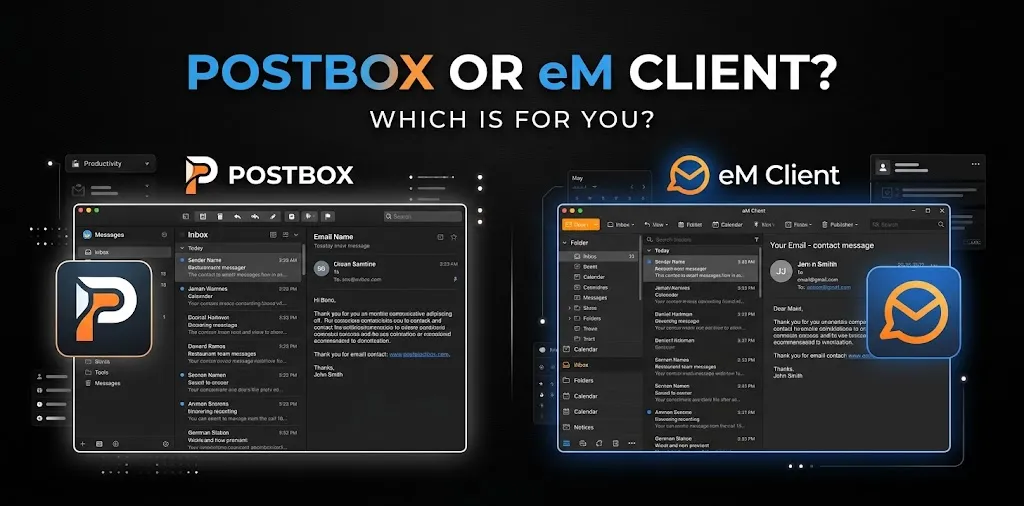
Postbox or eM Client? Which is for you

If you’re choosing between Postbox and eM Client today, eM Client is the practical choice for most people. Postbox was a capable email app with strong message organization, search, shortcuts, and customization, but it has been acquired by eM Client and is no longer being developed or sold. eM Client is the active product, with email, calendar, contacts, tasks, notes, chat, encryption, AI tools, and mobile apps.
For someone researching “Postbox or eM Client?” today, that changes the comparison quite a bit. Postbox may still appeal to existing users who like its interface, but if you’re choosing an email client to use going forward, eM Client makes much more sense.
Postbox vs eM Client at a Glance
| Feature | Postbox | eM Client |
|---|---|---|
| Current development | No longer in development | Actively developed |
| Available for purchase | No | Yes |
| Windows | Yes | Yes |
| macOS | Yes | Yes |
| iPhone/iPad | No dedicated current app | Yes |
| Android | No dedicated current app | Yes |
| Yes | Yes | |
| Calendar | Limited integration | Yes |
| Tasks | Limited | Yes |
| Contacts | Yes | Yes |
| Notes | No comparable integrated system | Yes |
| Chat | No | Yes |
| PGP/S/MIME | Not comparable | Yes |
| AI features | No current development | Yes |
| Email scheduling | Yes | Yes |
| Quick actions | Strong | Yes |
| Conversation view | Yes | Yes |
| Multiple accounts | Yes | Yes |
| Free version | No longer available for purchase | Yes, with limits |
| Long-term choice for new users | Poor fit | Better fit |
The key difference isn’t simply the number of features. Postbox is a discontinued product, while eM Client is an actively maintained email and productivity platform.
Why Postbox Was Popular
Postbox built its reputation around making desktop email faster and easier to manage.
Its Quick Bar, for example, allowed users to perform actions such as moving, copying, labeling, and switching folders without relying heavily on menus. It also offered tabs, conversation views, customizable layouts, keyboard shortcuts, filters, and a dedicated attachment view.
That made Postbox particularly attractive to people who handled a large number of messages every day.
Postbox’s strongest features
Postbox’s useful features included:
- Quick Bar for fast email actions
- Advanced search
- Keyboard shortcuts
- Message tabs
- Conversation view
- Favorites Bar
- Email filters and rules
- Customizable interface
- Attachment management
- Send and Archive
- macOS-specific integrations
For example, Send and Archive could automatically archive an original message after you replied or forwarded it. That’s a small feature, but it can save time if you process a large inbox every day.
The problem is that these strengths don’t change Postbox’s current status.
What Happened to Postbox?
Postbox was acquired by eM Client and is no longer in development or available for purchase. Existing Postbox lifetime licenses remain valid for the Postbox product as long as the operating system and email providers remain compatible.
That distinction matters.
If you already own Postbox and it works well for you, there’s no immediate reason to panic. But if you’re starting from scratch, buying an email client that is no longer being developed isn’t a strong long-term strategy.
What Makes eM Client Different?
eM Client takes a broader approach. It isn’t focused only on email organization.
It combines email with:
- Calendar
- Tasks
- Contacts
- Notes
- Chat
- Email encryption
- Email rules
- Templates and signatures
- Translation
- Snooze
- Scheduled sending
- Email tracking protection
- AI-assisted writing and message tools
It also supports common technologies and services such as IMAP, POP3, SMTP, Exchange, and Microsoft 365.
That makes it more suitable if you want one desktop application to handle more of your daily communication and scheduling.
eM Client’s AI tools
One major difference is AI.
eM Client’s current AI integration can help draft emails, summarize messages, proofread text, translate messages, and change the tone or length of a response.
For someone who writes dozens of emails every week, this can be more useful than simply having a faster inbox.
Email Management: Which Is Better?
If your only concern is managing email quickly, the answer is closer.
Postbox was designed heavily around email productivity. Its Quick Bar, shortcuts, tabs, filters, and message organization made it a strong tool for power users.
eM Client also has strong email management, including conversation views, rules, templates, QuickText, tags, snoozing, scheduled sending, attachment management, and search.
Winner for current users: eM Client.
Postbox may have had the edge for some people who loved its workflow, but its lack of ongoing development makes it difficult to recommend over an active alternative.
Calendar and Productivity: eM Client Wins
This is one of the clearest differences.
eM Client treats email as part of a broader productivity system. You can manage your calendar, tasks, contacts, notes, and chat alongside your email.
That’s useful if your typical workflow looks like this:
Receive an email → create a task → check your calendar → contact the person → follow up later.
You don’t need to jump between several applications as often.
Postbox was primarily an email application. It could integrate with parts of the macOS ecosystem, but it wasn’t built around the same all-in-one productivity model.
Winner: eM Client.
Which Is Better for Windows and Mac?
Both Postbox and eM Client support Windows and macOS. However, eM Client has a major advantage for people who use multiple types of devices.
eM Client is currently available for:
- Windows
- macOS
- Android
- iOS
Its mobile versions are currently free to use and don’t require an eM Client license.
Postbox supports Windows and macOS, but the product is no longer being developed.
Winner: eM Client.
Which Is Better for Gmail and Microsoft 365?
Both applications can work with standard email services, but eM Client has the stronger current position.
eM Client supports Gmail, Google Workspace, Microsoft 365, Outlook, Exchange, and other email services. It also provides native support for Gmail and Exchange accounts.
This matters for businesses and professionals because email is often tied closely to calendars, contacts, tasks, and organizational accounts.
Winner: eM Client.
Pricing: Postbox vs eM Client
Pricing is another area where the comparison has changed because Postbox is no longer available for purchase.
eM Client currently offers a free license as well as paid Personal and Business options. Its Personal plan is available as a yearly subscription or a one-time purchase.
The free version allows up to two email accounts and is limited to personal, non-commercial use. Paid licenses allow unlimited accounts, while the Business license is required for company and institutional use.
| Pricing consideration | Postbox | eM Client |
|---|---|---|
| New purchase | Not available | Yes |
| Free option | Not available for new purchase | Yes |
| One-time purchase | Existing licenses only | Yes |
| Subscription | Not available for new purchase | Yes |
| Commercial use | Existing product terms | Paid Business/appropriate license |
| Future development | No | Yes |
If you’re evaluating cost for a new purchase, eM Client is the only practical option of the two.
Which Is Better for Privacy and Security?
eM Client has a stronger current feature set for users who care about encrypted email.
It supports PGP and S/MIME message encryption and also includes tools such as tracking-pixel blocking in its paid plans.
That doesn’t mean eM Client automatically makes every email private. Your email provider, account security, encryption setup, and how you use the service still matter.
But when comparing the two as products available today, eM Client has the more current security and privacy feature set.
Winner: eM Client.
Which One Is Better for Power Users?
This is where Postbox deserves some credit.
Postbox had a workflow designed for people who liked keyboard shortcuts, quick actions, tabs, advanced searches, filters, and highly customized inbox management.
If you’ve used Postbox for years and have built your workflow around those features, you may find switching inconvenient.
eM Client, however, gives power users more than email shortcuts. It adds rules, tags, tasks, calendar management, notes, scheduled sending, automation-style tools, AI assistance, and integrations.
So the better choice depends on what you mean by “power user.”
For advanced email-only workflows: Postbox’s old workflow may still feel appealing.
For broader productivity: eM Client is the better choice.
What About Someone Who Already Uses Postbox?
If Postbox is installed on your computer and you’re happy with it, you don’t necessarily need to switch immediately.
Existing Postbox lifetime-license users can continue using their licenses, although continued usability depends on operating-system and email-provider compatibility.
But you should consider switching if:
- Your email provider changes authentication requirements.
- Postbox stops working properly after an OS update.
- You want mobile apps.
- You want integrated calendar and task tools.
- You want current AI features.
- You want an actively developed email client.
- You need newer integrations.
eM Client provides an integrated import process for moving from Postbox, including importing .mbox files.
Which Is Better for Different Types of Users?
| If you are… | Better choice |
|---|---|
| A new email-client user | eM Client |
| An existing happy Postbox user | Keep Postbox for now |
| Buying an email client today | eM Client |
| A Gmail user | eM Client |
| A Microsoft 365 user | eM Client |
| A Mac user wanting deep email customization | eM Client, unless you strongly prefer your existing Postbox setup |
| A Windows user | eM Client |
| Someone needing iPhone/Android support | eM Client |
| A business user | eM Client |
| Someone wanting calendar + email together | eM Client |
| Someone who values the old Postbox workflow | Postbox, if already installed and compatible |
| Someone wanting ongoing development | eM Client |
So, Postbox or eM Client: Which Is for You?
For most people choosing between Postbox and eM Client in 2026, eM Client is the clear choice.
The reason isn’t that every eM Client feature is better than every Postbox feature. Postbox had a very good email-focused workflow, and existing users may still prefer its interface and shortcuts.
The bigger issue is product status. Postbox is no longer being developed or sold, while eM Client continues to receive new features and supports desktop and mobile platforms.
If you’re already comfortable with Postbox and everything works, you can continue using it. If you’re looking for an email client to use for the next several years, choose eM Client.
Frequently Asked Questions
Is Postbox still available?
Postbox is no longer in development or available for purchase. Existing lifetime-license users can continue using their licenses, subject to compatibility with their operating system and email providers.
Is eM Client a good replacement for Postbox?
Yes. eM Client supports importing Postbox data and offers many email-management features alongside calendar, tasks, contacts, notes, chat, encryption, and mobile apps.
Can I use eM Client for free?
Yes. eM Client has a free license for personal, non-commercial use with up to two email accounts. Paid Personal and Business licenses remove those account limits and provide additional features and commercial-use rights.
Final Verdict
If you’re asking “Postbox or eM Client?” because you need to choose an email client today, go with eM Client.
Postbox remains relevant mainly to people who already use it and like its workflow. For everyone else, eM Client offers the safer long-term choice, with active development, modern email features, calendar and task management, AI tools, encryption, and Android/iOS support.
One practical tip: if you’re moving from Postbox, don’t delete your old profile immediately. Set up eM Client first, import your mail, contacts, and other data, and make sure everything you need is working before fully retiring Postbox.