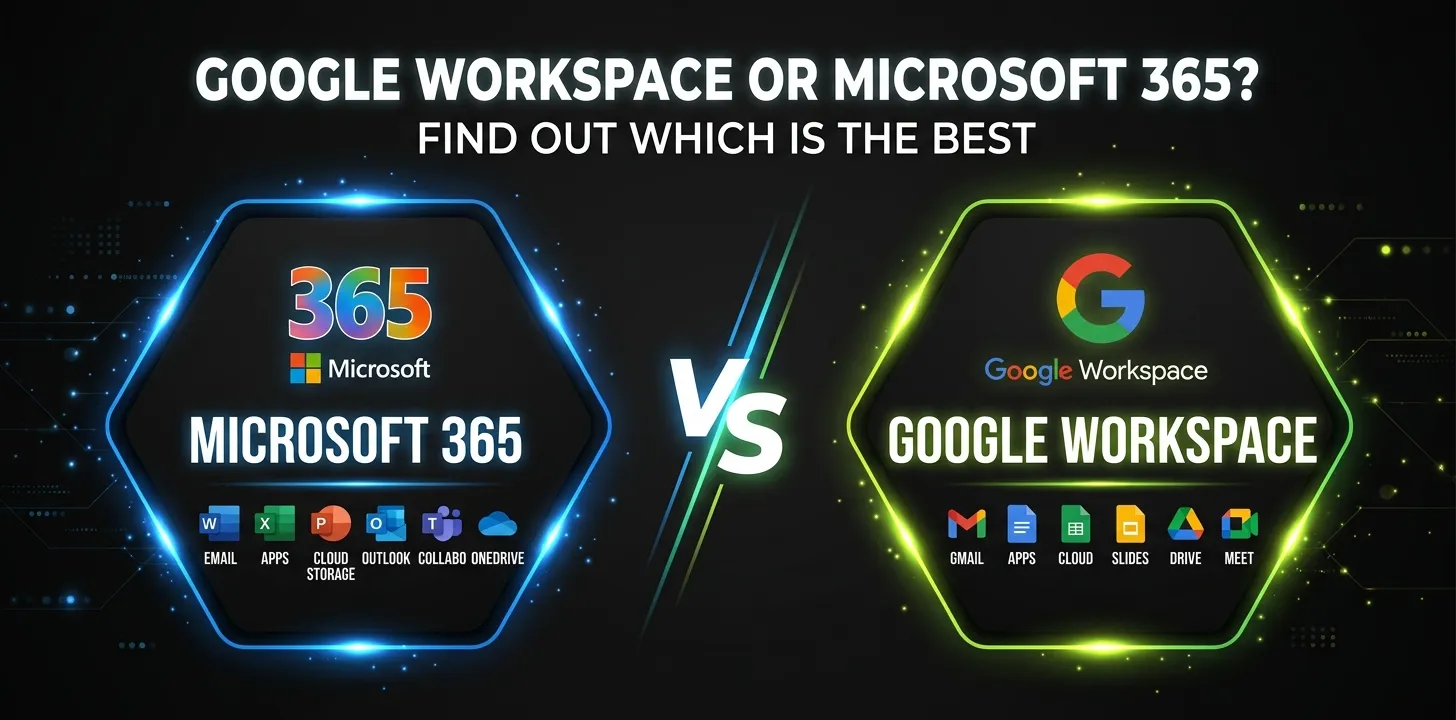
Google Workspace or Microsoft 365? Find out which is the best

Google Workspace and Microsoft 365 both give businesses email, cloud storage, office apps, video meetings, collaboration tools, and AI features. For most cloud-first teams, Google Workspace is easier to use and better for real-time collaboration. Microsoft 365 is the stronger choice for businesses that depend on desktop Word, Excel, PowerPoint, Outlook, Windows, or advanced Microsoft tools.
The better choice depends less on which suite has more features and more on how your team works every day.
A small marketing team that lives in Gmail and Google Docs may be happier with Google Workspace. An accounting firm that relies heavily on Excel and Outlook may have a much better experience with Microsoft 365.
Google Workspace vs. Microsoft 365 at a Glance
| Category | Google Workspace | Microsoft 365 |
|---|---|---|
| Business email | Gmail | Outlook |
| Word processing | Google Docs | Microsoft Word |
| Spreadsheets | Google Sheets | Microsoft Excel |
| Presentations | Google Slides | PowerPoint |
| Cloud storage | Google Drive | OneDrive |
| Video meetings | Google Meet | Microsoft Teams |
| Team chat | Google Chat | Microsoft Teams |
| Calendar | Google Calendar | Outlook Calendar |
| Desktop apps | Mostly browser-based | Strong desktop apps |
| Real-time collaboration | Excellent | Very good |
| Advanced spreadsheets | Good | Excellent |
| Offline desktop productivity | More limited | Excellent |
| Windows integration | Good | Excellent |
| AI assistant | Gemini | Copilot |
| Best fit | Cloud-first teams | Microsoft-centered businesses |
Both platforms cover the core needs of a modern business, but they approach productivity differently. Google puts more emphasis on browser-based collaboration, while Microsoft combines cloud services with powerful desktop applications.
What Is the Main Difference Between Google Workspace and Microsoft 365?
The biggest difference is the way each platform handles everyday work.
Google Workspace is built around web apps such as Gmail, Docs, Sheets, Slides, Drive, Meet, and Calendar. Multiple people can work in the same document at the same time, with changes saved automatically.
Microsoft 365 combines cloud services with full desktop versions of Word, Excel, PowerPoint, and Outlook on compatible plans. It also includes services such as OneDrive, Teams, SharePoint, and Exchange.
That creates a simple dividing line:
- Choose Google Workspace if your team mainly works in a browser and values simple collaboration.
- Choose Microsoft 365 if your team needs powerful desktop Office apps or already depends on Microsoft’s ecosystem.
Google Workspace: Where It Stands Out
Google Workspace includes Gmail, Drive, Docs, Sheets, Slides, Meet, Calendar, Chat, Forms, Sites, and other tools. Google’s current Workspace lineup also includes Gemini-related AI features in its plans.
Real-time collaboration
This is one of Google’s biggest strengths.
A team can open the same Google Doc or Sheet and work on it together. Users can see edits as they happen, leave comments, and avoid sending multiple versions of the same file back and forth.
For remote teams, agencies, content teams, and startups, this can make everyday work feel simple.
Gmail and Google Calendar
If your team already uses Gmail personally, the business version is familiar.
Google Workspace lets businesses use custom-domain email, such as [email protected], while keeping the Gmail interface. Calendar also works closely with Meet for scheduling online meetings.
Simple browser-based workflow
Google Workspace does not require your employees to spend much time managing desktop Office installations.
For teams that primarily use Chrome or another modern browser, this can be a major advantage.
Google Drive sharing
Drive makes it easy to keep documents in one shared environment instead of relying heavily on email attachments.
You can share files and folders with coworkers or outside collaborators and control what they can do with them.
Microsoft 365: Where It Stands Out
Microsoft 365 takes a different approach. Its ecosystem includes Word, Excel, PowerPoint, Outlook, OneDrive, Teams, SharePoint, Exchange, and other business applications.
Full desktop Office apps
This is probably the biggest reason to choose Microsoft 365.
Microsoft 365 Business Standard includes desktop, web, and mobile versions of Word, Excel, PowerPoint, and Outlook.
That matters when employees work with complex Excel files, large Word documents, PowerPoint presentations, or established Office workflows.
Excel
For basic spreadsheets, Google Sheets is more than capable.
But businesses that depend on advanced Excel functionality may prefer Microsoft 365. Excel has long been a major part of Microsoft’s business productivity ecosystem, and the desktop application provides a deeper feature set than many browser-first workflows require.
If spreadsheets are central to your business, Microsoft 365 deserves serious consideration.
Outlook
Outlook combines email, calendars, contacts, and tasks into a familiar business-oriented environment.
For organizations already built around Outlook and Exchange, moving to Gmail can create unnecessary disruption.
Microsoft 365 can also be a better fit for organizations that need Teams for communication and SharePoint for structured team sites and file management.
Google Workspace vs. Microsoft 365 Pricing
Pricing changes over time, and both companies offer multiple business editions. For a useful apples-to-apples comparison, the entry-level business plans are a good starting point.
Google Workspace Business Starter is currently listed at $7 per user per month with an annual commitment, while its flexible monthly pricing is higher. Business Standard is $14 per user per month with an annual commitment, and Business Plus is $22.
Microsoft 365 Business Basic is also $7 per user per month when paid yearly. Business Standard is $12.50 per user per month when paid yearly, while Business Premium is $22.
| Business plan | Google Workspace | Microsoft 365 |
|---|---|---|
| Entry business plan | $7/user/month* | $7/user/month* |
| Mid-level plan | $14/user/month* | $12.50/user/month* |
| Higher-level plan | $22/user/month* | $22/user/month* |
| Annual commitment | Available | Available |
| Monthly flexible billing | Available at higher rates | Available at higher rates |
*Prices shown are standard US pricing with annual commitment and can change. Promotional pricing, AI add-ons, taxes, and plan-specific terms may affect the final cost.
One important detail can change the value significantly: the apps included at each price level are not identical.
For example, Microsoft 365 Business Basic includes web and mobile versions of Word, Excel, PowerPoint, and Outlook, while Business Standard adds desktop versions.
So don’t compare prices without checking the exact features your employees need.
Which Is Better for Email?
For email alone, both are strong choices.
Google Workspace uses Gmail, while Microsoft 365 uses Outlook with Exchange-based business email services. Both support custom business email addresses.
The better choice usually comes down to familiarity.
Gmail may be better if:
- Your team already prefers Gmail.
- Employees work mostly in browsers.
- You want email closely connected to Google Drive, Docs, Meet, and Calendar.
Outlook may be better if:
- Your company already uses Microsoft Office.
- Employees depend heavily on Outlook calendars and email.
- Your organization has existing Microsoft systems and workflows.
Changing email platforms can create migration and training work, so an existing setup is worth considering before switching.
Which Is Better for Word Processing?
This is closer than it used to be.
Google Docs is excellent for collaborative documents. Multiple people can edit a document together, leave comments, and work from different devices.
Microsoft Word remains the better choice when you need advanced document formatting, complex layouts, or established Word-based workflows.
For a content agency writing articles together, Google Docs may be the easier option.
For a law office producing heavily formatted documents, Microsoft Word may be the safer choice.
Which Is Better for Spreadsheets?
Microsoft 365 wins for advanced spreadsheet work.
Google Sheets is excellent for everyday business spreadsheets, shared budgets, simple reporting, tracking, and collaborative data entry.
But if your employees regularly build complicated financial models, use advanced Excel features, or depend on existing Excel-based processes, Microsoft 365 is usually the better fit.
This is one of the areas where the choice should be based on your actual workload rather than the number of features listed on a pricing page.
Which Is Better for Collaboration?
Google Workspace has the edge for simple real-time collaboration.
Google designed Docs, Sheets, and Slides around multiple people working together online. Changes are saved automatically, and users can collaborate in the same file.
Microsoft 365 also supports collaborative editing. Microsoft allows users to share Office documents through links and collaborate through Microsoft 365 for the web, including with people who may not have the desktop Office applications.
So the difference is not that Microsoft cannot collaborate.
It’s that Google Workspace tends to make browser-based collaboration feel more central to the overall experience.
Which Is Better for Video Meetings?
Both are capable.
Google Workspace uses Google Meet, which connects naturally with Gmail and Google Calendar. Current Google Workspace plans offer different meeting limits and features depending on the edition.
Microsoft 365 uses Teams for meetings, chat, calling, and broader team communication. Business plans can also include webinar-related capabilities depending on the plan.
If your company already lives inside Google Calendar, Meet can be the simpler choice.
If your company already uses Teams for chat and internal communication, Microsoft 365 may feel more natural.
Google Workspace vs. Microsoft 365 for AI
AI is now part of the comparison.
Google has integrated Gemini features into Workspace, including AI capabilities across apps such as Gmail, Docs, Drive, Sheets, and Meet on eligible plans.
Microsoft has integrated Copilot-related capabilities into Microsoft 365, including Word, Excel, PowerPoint, Outlook, and Teams on eligible plans or through additional licensing.
The important question is not simply “Which has better AI?”
Ask:
Which AI assistant works inside the applications my employees already use?
If your team spends all day in Gmail and Docs, Google’s AI integration may be more useful.
If employees spend most of their time in Word, Excel, Outlook, and Teams, Microsoft has a strong advantage because Copilot is integrated into that environment.
Which Is Easier for a Small Business?
For many small businesses starting from scratch, Google Workspace is easier to understand and manage.
The basic workflow is straightforward:
Gmail → Calendar → Drive → Docs → Sheets → Meet.
You can create accounts, give employees access to shared files, and work primarily through a browser.
Microsoft 365 can also work very well for small businesses, but it offers a broader ecosystem. That can be an advantage when you need it, but it can also mean more decisions about apps, permissions, devices, and Microsoft services.
If your business is small and cloud-first, Google Workspace is often the simpler starting point.
Which Is Better for Large Organizations?
For larger organizations, Microsoft 365 can have a strong advantage when the company already depends on Windows, Office applications, Active Directory-related infrastructure, SharePoint, Teams, or Microsoft’s broader security and management ecosystem.
Microsoft 365 Business Premium, for example, adds device management, advanced threat protection, identity controls, and other security capabilities alongside Office applications.
Google Workspace also offers security and administration features, including Admin, endpoint management, Vault on eligible plans, and other management tools.
For larger organizations, however, the right answer depends heavily on existing IT systems and compliance requirements.
What About File Storage?
Both provide cloud storage, but they organize it differently.
Google Workspace uses Google Drive and its business plans use pooled storage. Business Starter includes 30 GB of pooled storage per user, Business Standard includes 2 TB per user, and Business Plus includes 5 TB per user under Google’s current business pricing structure.
Microsoft 365 Business plans commonly provide 1 TB of OneDrive storage per user.
The number alone doesn’t tell the whole story. Google Drive is closely connected to Docs, Sheets, and Slides, while Microsoft storage works naturally with Word, Excel, PowerPoint, Teams, and SharePoint.
Choose the ecosystem that matches how your company already stores and creates files.
Two Real-World Examples
Example 1: A small marketing agency
Imagine a 10-person marketing agency.
The team writes blog posts in Google Docs, creates campaign spreadsheets in Sheets, schedules meetings through Google Calendar, and works with freelance writers outside the company.
Google Workspace would likely be the better fit.
The agency gets a simple browser-based workflow and strong collaboration without requiring employees to constantly manage desktop applications.
Example 2: An accounting business
Now imagine a 20-person accounting firm.
Employees work heavily with Excel files, Word documents, Outlook email, and Windows PCs. Some clients send complicated spreadsheets that need to be edited in desktop Excel.
Microsoft 365 would likely be the better choice.
The firm would benefit from the desktop Office applications and a workflow that matches the software its employees already use.
Google Workspace or Microsoft 365 for Remote Teams?
For a remote team that works mainly through browsers, Google Workspace is usually the easier option.
Its collaboration model works well when employees are spread across different locations and need to work together on the same files.
Microsoft 365 is also a strong remote-work platform, particularly when the team already uses Teams, Outlook, OneDrive, and Office.
The deciding factor is therefore less about whether remote work is supported and more about which workflow your employees prefer.
Google Workspace or Microsoft 365 for Windows Users?
If your employees use Windows and depend heavily on Microsoft Office, Microsoft 365 has the clearer advantage.
Microsoft’s ecosystem is deeply connected to Word, Excel, PowerPoint, Outlook, OneDrive, Teams, and other business services.
Google Workspace still works perfectly well on Windows because most of its core applications run in a browser.
But if your company has years of Office documents, Excel processes, Outlook calendars, and Microsoft-based workflows, there is little reason to move just because Google Workspace is popular.
Which One Should You Choose?
The decision becomes much easier when you focus on your most important work.
| If your priority is… | Better choice |
|---|---|
| Gmail-style business email | Google Workspace |
| Real-time document collaboration | Google Workspace |
| Simple browser-based work | Google Workspace |
| Google Drive and Docs | Google Workspace |
| Advanced Excel work | Microsoft 365 |
| Full desktop Office apps | Microsoft 365 |
| Outlook-heavy workflow | Microsoft 365 |
| Teams-based communication | Microsoft 365 |
| Microsoft-centric business | Microsoft 365 |
| Windows + Office environment | Microsoft 365 |
| Cloud-first startup | Google Workspace |
| Existing Microsoft infrastructure | Microsoft 365 |
There is no universal winner.
Google Workspace is the better choice for teams that value simplicity, browser-based work, and real-time collaboration. Microsoft 365 is the better choice for teams that need desktop Office apps, advanced Excel, Outlook, Teams, or a deeper Microsoft ecosystem.
Is Google Workspace Cheaper Than Microsoft 365?
Not necessarily. Their entry-level business plans are both currently listed at $7 per user per month with annual commitment in the US. Google Workspace Business Standard is $14, while Microsoft 365 Business Standard is $12.50 at current standard annual pricing.
The real cost depends on the plan you need, how many users you have, whether you need AI features or add-ons, and whether your employees require desktop applications.
Can You Use Google Workspace and Microsoft 365 Together?
Yes.
A business can use both platforms, although doing so can increase administration and create duplicate services.
For example, a company might use Microsoft 365 for Excel and Outlook while using Google Workspace for collaboration with external partners.
That can work, but if you’re choosing a primary productivity suite for a new business, using one ecosystem as the main platform is usually simpler.
Frequently Asked Questions
Is Google Workspace better than Microsoft 365?
Google Workspace is better for businesses that prioritize browser-based work, simple administration, and real-time collaboration. Microsoft 365 is better for organizations that depend on desktop Word, Excel, PowerPoint, Outlook, Teams, and the wider Microsoft ecosystem.
Which is better for a small business, Google Workspace or Microsoft 365?
Google Workspace is often the easier starting point for a small, cloud-first business. Microsoft 365 can be the better choice if employees already rely on Office apps, Outlook, Excel, Windows, or Teams.
Can Google Workspace replace Microsoft 365?
For many businesses, yes. Google Workspace can handle business email, documents, spreadsheets, presentations, cloud storage, calendars, meetings, and collaboration. However, businesses that rely on advanced Excel features or full desktop Office applications may find Microsoft 365 a better fit.
The Bottom Line
If you are starting fresh and want a simple cloud-based productivity suite, Google Workspace is the better default choice. Its Gmail, Drive, Docs, Sheets, Meet, and Calendar combination works especially well for collaborative teams.
If your business already revolves around Word, Excel, PowerPoint, Outlook, Teams, and Windows, choose Microsoft 365 instead.
The best practical tip is to list the five applications your employees use most every day. Then choose the platform that makes those five tasks easier—not the one with the longest feature list.