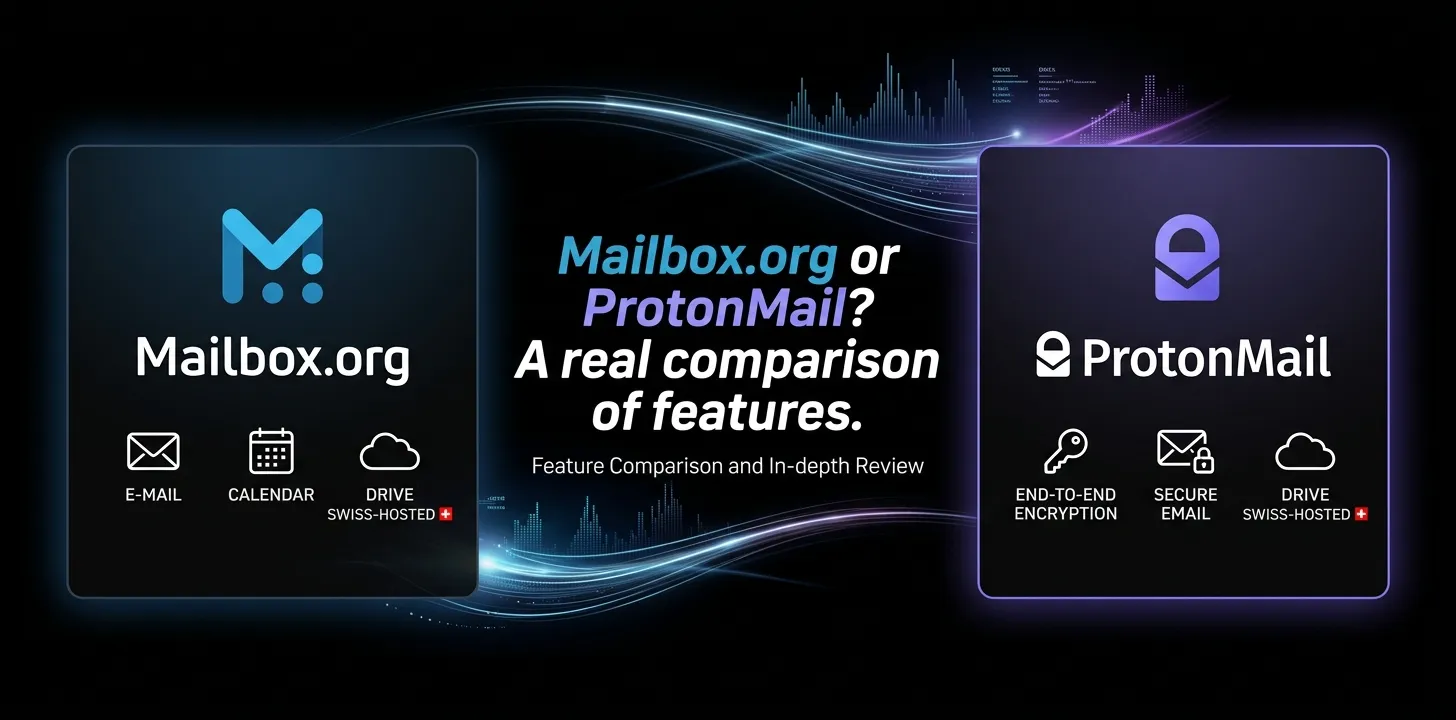
Mailbox.org or ProtonMail? A real comparison of features

Mailbox.org and Proton Mail are both strong privacy-focused email services, but they take different approaches. Proton Mail is the better choice for users who want simple end-to-end encrypted email, open-source apps, and a strong privacy-first experience. Mailbox.org is better suited to users who value German data protection, traditional email features, PGP/S/MIME, custom domains, and an integrated office suite.
If you are deciding between Mailbox.org or Proton Mail, the answer depends less on which service has more features and more on what you want from your email provider.
Proton Mail puts encrypted communication and ease of use at the center of its service. Mailbox.org takes a broader approach, combining private email with calendar, contacts, cloud storage, online office tools, and video meetings.
Here is how the two compare in the areas that matter most.
Mailbox.org vs Proton Mail at a Glance
| Feature | Mailbox.org | Proton Mail |
|---|---|---|
| Main focus | Private email + digital workspace | Private, encrypted email |
| Free permanent plan | No; 30-day trial | Yes |
| Free email storage | — | Up to 1 GB |
| Paid entry plan | €1/month Light | €4.99/month Mail Plus |
| Paid annual pricing | Standard €36/year; Premium €108/year | Mail Plus €47.88/year |
| Mail storage on comparable paid plans | 20 GB Standard | 15 GB Mail Plus |
| Custom domain | Yes, on paid plans | Yes, on paid plans |
| Email aliases | Up to 25 on Standard/Premium @mailbox.org addresses | Up to 10 email addresses on Mail Plus |
| Hide-my-email aliases | Disposable addresses available on higher plans | 10 on Mail Plus |
| End-to-end encryption | PGP supported; encrypted inbox available | Automatic between Proton Mail users |
| PGP | Yes | Yes |
| IMAP/SMTP | Yes | Via Proton Mail Bridge on paid plans |
| POP3 | Yes | No |
| Calendar | Yes | Yes |
| Cloud storage | Yes | Proton Drive on broader plans |
| Office tools | Yes | Not part of Mail Plus |
| Video meetings | Yes | Available through Proton Meet |
| Data jurisdiction | Germany | Switzerland |
| Open-source apps | Not the same open-source model as Proton | Yes |
| Best for | Privacy + productivity/workspace | Privacy + encrypted communication |
Mailbox.org’s current private plans include Light, Standard, and Premium, with Standard offering 20 GB of mail storage and Premium offering 50 GB. Proton Mail Plus provides 15 GB of total storage shared between Mail and Proton Drive.
Privacy and Encryption
For most people comparing these services, privacy is the biggest issue.
Both providers take privacy seriously, but their implementations are different.
Proton Mail’s encryption model
Proton Mail automatically provides end-to-end encryption for messages exchanged between Proton Mail users. Messages stored in your Proton Mail mailbox use zero-access encryption, meaning Proton says it cannot read the contents of those messages.
Proton also supports PGP for communication with people outside Proton Mail. If the recipient does not use Proton Mail, you can use a password-protected email or configure PGP for end-to-end encryption.
One important detail is that email is not automatically end-to-end encrypted simply because you use Proton Mail. For example, a normal message sent from Proton Mail to Gmail is not end-to-end encrypted by default. Proton can protect its copy using zero-access encryption, but the recipient’s email provider may still have access to its copy.
Mailbox.org’s encryption model
Mailbox.org supports PGP and S/MIME directly in its webmail environment. Its security features also include a PGP-encrypted inbox, Mailvelope support, its own PGP key server, TLS checking, and two-factor authentication.
Mailbox.org also stores customer data in its own data centers in Germany and emphasizes German data protection law and GDPR compliance.
Which is better for encryption?
Proton Mail has the easier encryption experience.
If you want encrypted email without learning much about PGP, Proton Mail has a major advantage. Communication between Proton users is automatically end-to-end encrypted.
Mailbox.org is particularly attractive if you already understand PGP or want more traditional email encryption options, including PGP and S/MIME.
Mailbox.org vs Proton Mail for Privacy
Privacy is broader than encryption. Where your data is stored, what information the provider can access, and how the company is structured all matter.
Proton Mail operates under Swiss jurisdiction and emphasizes open-source applications, independent security audits, and a zero-access architecture for stored email.
Mailbox.org operates its infrastructure in Germany and emphasizes German data protection law and GDPR compliance.
For a US user, the practical difference is this:
- Choose Proton Mail if you prefer Swiss privacy protections and a highly encryption-focused ecosystem.
- Choose Mailbox.org if German data protection and a more traditional European email provider appeal to you.
Neither service makes you anonymous simply because you create an account. Your own device, recovery information, email habits, and the people you communicate with can still affect your privacy.
Features and Everyday Email Use
A privacy-focused email service still needs to work well as an everyday inbox.
Mailbox.org has a strong advantage in traditional email functionality. Its plans support webmail, IMAP, POP3, push notifications, spam and virus protection, email aliases, custom domains, disposable addresses, email statistics, and other organizational features.
Proton Mail focuses more heavily on its own encrypted ecosystem.
Paid Proton users can use Proton Mail Bridge to connect their account with desktop applications such as Outlook, Thunderbird, and Apple Mail. Bridge is available for Windows, macOS, and Linux, but it requires a paid plan.
This creates an important difference.
If you want to connect an email account to traditional mail software using normal email protocols, Mailbox.org is more straightforward.
If you want to use a modern encrypted email platform and do not mind using Proton’s Bridge for desktop clients, Proton Mail works well.
Custom Domains and Email Aliases
Custom domains matter if you use email for a business, personal brand, or long-term identity.
Both providers support custom domains on paid plans.
Mailbox.org Standard allows custom domains and provides a larger alias allowance on its higher plans.
Proton Mail Plus supports one custom email domain and up to 10 email addresses. It also includes 10 hide-my-email aliases.
That makes Mailbox.org particularly interesting for users who want to run several addresses from one domain.
For example, a small business might want:
Mailbox.org gives you more room for this type of setup on its higher plans.
Proton Mail is still a good option if you only need a small number of addresses and want stronger integration with Proton’s privacy tools.
Pricing: Which One Gives You More?
Pricing can be confusing because the two services use different plan structures.
Mailbox.org pricing
Mailbox.org currently offers these private plans:
- Light: €1/month, 2 GB mail storage, 3 @mailbox.org aliases
- Standard: €4/month or €36/year, 20 GB mail storage, 10 GB Drive storage
- Premium: €12/month or €108/year, 50 GB mail storage, 100 GB Drive storage
Standard and Premium also support custom domains and additional aliases. Mailbox.org offers a 30-day trial rather than a permanent free email plan.
Proton Mail pricing
Proton currently offers:
- Proton Free: up to 1 GB Mail storage and one email address
- Mail Plus: €4.99/month or €47.88/year, with 15 GB total storage, up to 10 email addresses, one custom domain, and 10 hide-my-email aliases
- Proton Unlimited: €12.99/month or €119.88/year, with a larger Proton ecosystem and 500 GB of storage under the current plan information
Prices can change, so check the provider’s current pricing before subscribing.
Which is the better value?
For basic paid email, Mailbox.org Light is dramatically cheaper.
For a full privacy-focused email experience, Proton Mail Free is attractive because you can start without paying.
For business-style custom-domain use and lots of aliases, Mailbox.org Standard or Premium can offer more flexibility.
For an entire privacy ecosystem, Proton Unlimited can make more sense because it combines Mail with services such as Drive, VPN, Pass, and other Proton products.
Mailbox.org vs Proton Mail for Business
This is one area where the decision becomes more interesting.
Mailbox.org is built as more than an email provider. Its broader platform includes:
- Calendar
- Contacts
- Tasks
- Cloud storage
- Online document editing
- Spreadsheets and presentations
- Collaboration features
- Video meetings
- Shared resources
Proton also has business plans and a growing collection of productivity services, but its identity is still strongly tied to privacy and encrypted communication.
For a small company that wants a private alternative to a traditional office suite, Mailbox.org deserves serious consideration.
For a company that puts secure communications and the Proton ecosystem first, Proton may be the better fit.
Calendar, Cloud Storage, and Productivity
If email is only one part of what you need, the comparison changes.
Mailbox.org includes calendar and contacts across its private plans. Standard and Premium also include Drive, Office, and Meet features.
Proton Mail Plus includes Proton Calendar, while broader Proton plans add services such as Proton Drive, Proton VPN, and Proton Pass.
The key difference is the way each company packages these tools.
Mailbox.org feels more like a private digital workspace.
Proton feels more like a privacy ecosystem built around secure services.
Neither approach is automatically better. It depends on what you actually use.
Ease of Use
For a beginner, Proton Mail generally has the easier privacy story.
You can create an account, open the inbox, and send encrypted messages to other Proton users without manually configuring PGP keys. Proton built its encryption into the normal email experience.
Mailbox.org is not difficult to use, but some of its strongest security capabilities are aimed at users who are comfortable with traditional email concepts such as PGP, S/MIME, IMAP, and mail clients.
That creates a simple rule:
If you want privacy without thinking much about the technology, pick Proton Mail.
If you want more control over how your email works, Mailbox.org may be more appealing.
A Real-World Example: Which One Should You Choose?
Imagine you are a US freelance designer who wants a private personal email account.
You mainly need:
- A secure inbox
- Mobile access
- A few aliases
- Strong encryption
- A simple interface
- No advertising
Proton Mail would probably be the better choice.
Now imagine you run a small consulting business and want:
- Your own domain
- Several email addresses
- Calendar and contacts
- Cloud storage
- Office documents
- Traditional email-client support
- PGP/S/MIME options
Mailbox.org becomes much more attractive.
These are not differences in basic email quality. They are differences in what each service is designed to do best.
Mailbox.org vs Proton Mail: Main Strengths and Weaknesses
Mailbox.org strengths
- Very low-cost entry-level paid plan
- German data protection
- Data hosted in Germany
- Strong traditional email functionality
- PGP and S/MIME support
- IMAP and POP3
- Custom-domain support
- Large alias allowances on higher plans
- Calendar, contacts, Drive, Office, and Meet
- Ad-free and tracking-free email
Mailbox.org weaknesses
- No permanent free email plan
- Its encryption approach can require more technical understanding
- The interface and ecosystem may feel less focused than Proton’s
- Some of its best features are tied to higher paid plans
Proton Mail strengths
- Free plan available
- Automatic end-to-end encryption between Proton users
- Zero-access encryption for stored messages
- Open-source apps
- Independent security audits
- PGP support
- Custom domains on paid plans
- Hide-my-email aliases
- Strong mobile experience
- Large privacy-focused ecosystem
Proton Mail weaknesses
- Desktop email clients require Proton Mail Bridge on paid plans
- No POP3 support
- Normal messages to outside email providers are not automatically end-to-end encrypted
- Mail Plus has fewer included mail addresses than comparable higher-tier Mailbox.org plans
- Some advanced features require paid plans
Which Is More Secure: Mailbox.org or Proton Mail?
There is no useful answer that says one service is simply “secure” and the other is not.
Proton Mail has the stronger ease-of-use advantage for end-to-end encrypted email. Messages between Proton users are automatically end-to-end encrypted, while stored mail uses zero-access encryption.
Mailbox.org has a strong security model built around German data protection, encrypted storage, PGP, S/MIME, TLS, and other security controls. It also gives technically experienced users more traditional email options.
So instead of asking which provider is “more secure,” ask which security model fits your needs.
Which Is Better for a New User?
For someone switching from Gmail or Outlook and wanting a private email account without a complicated setup, Proton Mail is the easier recommendation.
The free plan lets you start without paying, and encrypted communication with other Proton users happens automatically.
Mailbox.org makes more sense when you already know what you want from your email service and care about features such as custom domains, traditional mail-client access, PGP/S/MIME, or an integrated productivity suite.
Which One Should You Pick?
Choose Proton Mail if:
- Privacy is your main reason for switching email providers.
- You want end-to-end encryption to be easy.
- You want a free plan.
- You prefer open-source applications.
- You want email plus other privacy services.
- You mainly use web and mobile apps.
Choose Mailbox.org if:
- You prefer German data protection.
- You want a more traditional email service.
- You need IMAP and POP3.
- You want many aliases.
- You plan to use a custom domain.
- You want email, cloud storage, office tools, calendar, and meetings together.
- You are comfortable with PGP or S/MIME.
Frequently Asked Questions
Is Mailbox.org more private than Proton Mail?
Both are designed around privacy, but they use different approaches. Mailbox.org emphasizes German data protection and traditional encryption technologies, while Proton Mail emphasizes zero-access architecture and automatic end-to-end encryption between Proton users.
Can I use my own domain with both Mailbox.org and Proton Mail?
Yes. Both support custom domains on paid plans. Mailbox.org offers custom-domain support on its Standard and Premium plans, while Proton Mail Plus supports one custom email domain.
Is Proton Mail or Mailbox.org better for everyday use?
For most beginners, Proton Mail is easier if your main goal is private email with minimal setup. Mailbox.org is a better fit if you want traditional email-client compatibility, more aliases, and a broader productivity workspace.
The Bottom Line
Mailbox.org and Proton Mail are both strong choices for people who want an alternative to advertising-driven mainstream email.
Proton Mail is the better overall pick for most privacy-focused individuals, especially if automatic encryption and ease of use are your priorities.
Mailbox.org is the better choice for users who want privacy combined with traditional email functionality, custom-domain flexibility, and a broader office-style workspace.
Before choosing, think about how you actually use email. If you mainly want a private inbox, start with Proton Mail. If you want a private email and productivity platform with more traditional email controls, give Mailbox.org a closer look.